
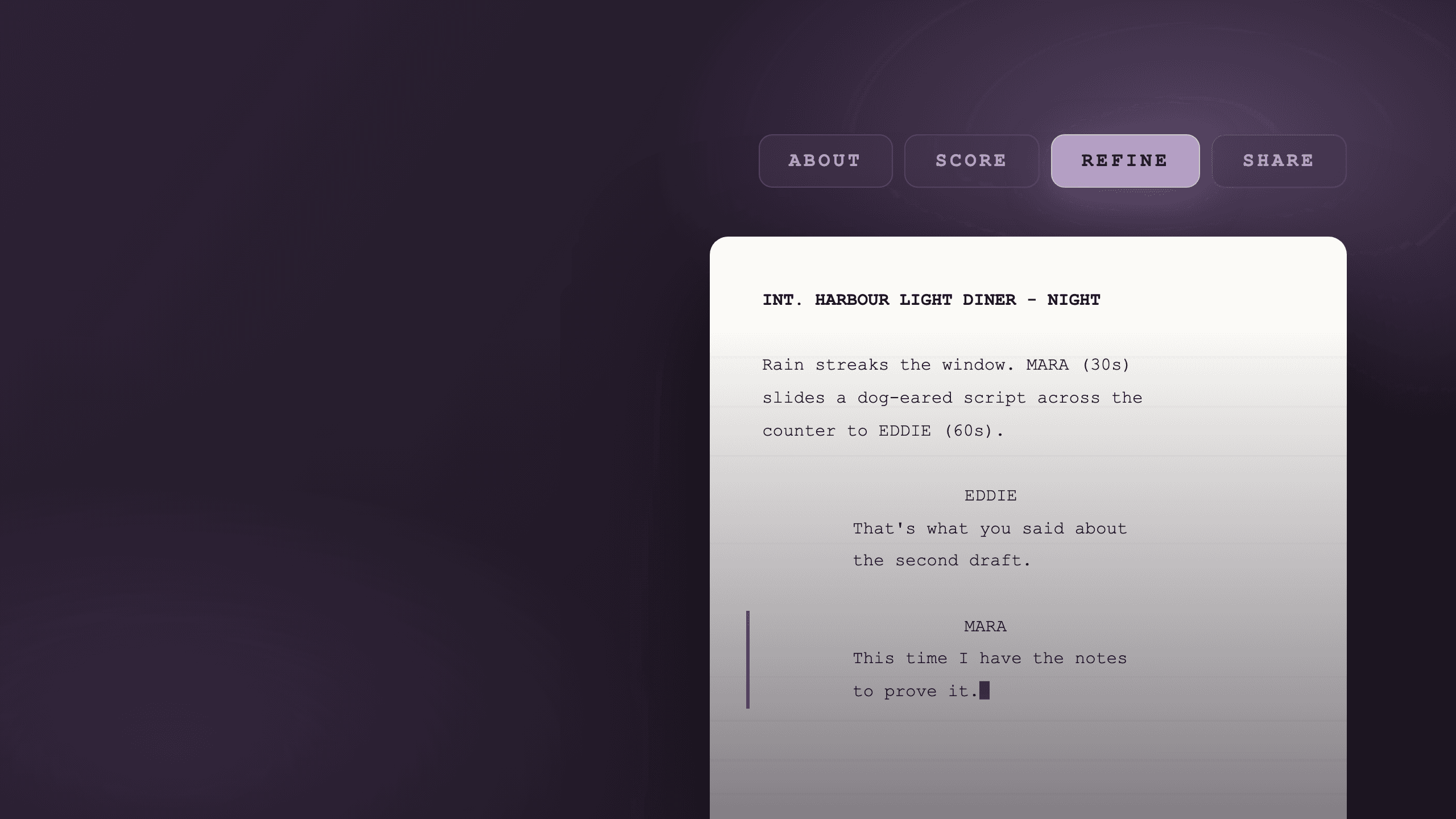
The script page in The PreList has been rebuilt. Everything to do with a single screenplay now lives on one page, under four tabs, and on one of those tabs there is something that was not there before: a real screenplay editor.
It is live now, for everyone, and the editor is included free on every plan.
Four tabs, one page
Until this week, a script's information was scattered. The analysis was in one place, the source file in another, the pitching materials somewhere else again, and the portfolio toggle somewhere else after that. Opening a script told you your score and left the rest of it to be hunted down.
Now the script page has four tabs: About, Score, Refine and Share. Click through them.
The new script page
Four tabs. Click through them.
Everything the script is
- The record · Title, writer, genre and page count, all editable in one place.
- Logline and synopsis · Now separate fields, with room for comparables and private notes.
- Source files · Your original upload and every draft since, kept together.
Nothing was taken away in the move. Every feature you already had is still there, along with your scores, your coverage, your persona reviews, your drafts and your shared links. It has just moved to whichever tab it belongs on, so it can be found.
The Refine tab, and the editor in it
Refine is the new one, and it is the reason for the rest of the change.
It is a three-pane workspace. Your plan sits on the left, drawn from your coverage and your Improvement Plan. Your pages sit in the middle. Your analysis runs down the right, split into Writing, Story and Character, with the matching deep dive one click away.
And the middle pane is editable. Watch:
The Refine tab
Your plan, your pages, your notes
A screenplay page in the editor. The writer types a new speech: Mara, “This time I have the notes to prove it.” A note from Indie, an indie critic, then arrives on page 12: “Eddie has not looked up once. Let him look up on this line.”
The editor formats as you type, the way the ones you already use do. Enter advances the element, Tab switches it, and Cmd or Ctrl with 1 through 6 sets one directly. SmartType finishes character names, locations and times once it has seen them. Autosave runs as you write, an on-device buffer covers the gap between saves, and History keeps snapshots you can name, preview and restore.
The point is not that The PreList now has an editor. It is that the rewrite finally happens in the same place as the notes.
Bring a draft in from anywhere: PDF, Final Draft and Fountain all open fully editable, or start from a blank page. Exports go back out as competition-grade PDF in Courier Prime with correct page breaks and (MORE) and (CONT'D), plus Final Draft and Fountain files that round-trip cleanly.
Why this shape
The loop that matters to a working writer is short: read the script, decide what to fix, fix it, find out whether it worked.
The PreList has always done the first two well and then handed you off. You would read your coverage in one window, open your writing app in another, and try to hold the notes in your head while you rewrote. Six weeks later you would come back to find out whether the new draft was better, and the comparison would be a feeling rather than a measurement.
The four tabs close that loop. Score tells you what is wrong. Refine is where you fix it, with the notes still visible. And when the draft is done you re-analyse it in a click and see exactly what moved against the draft before it, metric by metric, rather than guessing.
What it costs
The editor is free on every plan, including the free Starter tier. Writing and exporting are not metered.
Pro still governs the analysis side: the character, scene and dialogue deep dives, the higher monthly limits, and the fuller persona work. If you only want somewhere to write with your existing notes beside the page, you do not need to pay for it.
Where to start
Open any script in your Script Bank and the four tabs are across the top. Go to Refine to see the editor.
If you write from scratch, hit New Script and you land straight on an empty page. If you work in Final Draft or Fountain, upload as usual and open it in the editor from there. There is a short Getting Started script waiting in your Script Bank that teaches the keyboard flow from inside the page.
If you are rewriting towards something specific rather than in the abstract, point the loop at a date. The deadline calendar shows what closes next across the whole directory, and a page like the Academy Nicholl Fellowships or the free BBC Writers Open Call tells you the format, page limit and eligibility you are actually writing to before you start cutting.
More on how the workspace fits together is on the features page, and if you have a pile of notes and no idea which to act on first, that is its own problem: what to do with script notes. And if you try it, tell me what breaks. That is the only way the next version is better than this one.